
Mobile app
The Olea Pay app for sending money to Tunisia
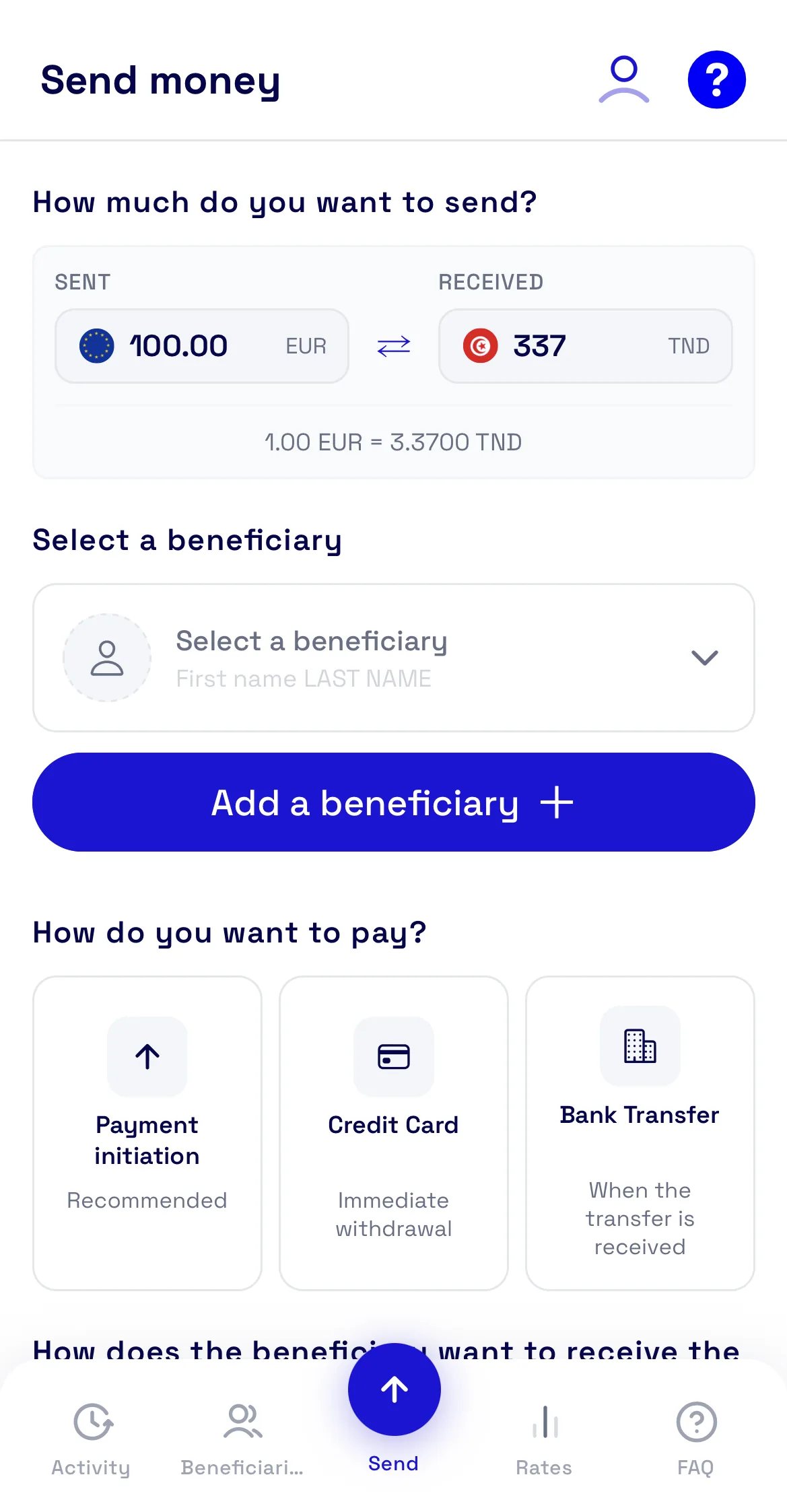
Open your account in minutes, choose how your family receives the money, and see the exact amount in dinars before you pay. On iPhone and Android.

Free to download. The fees for each transfer are shown before you pay.
A transfer in four steps
-
Create your account
A valid identity document, photographed front and back, and a selfie taken in the app. The service is open to adults living in the European Union or the European Economic Area.
-
Add your beneficiary
Their name and, depending on how they receive the money, their bank or mobile wallet details. They are saved for your next transfers.
-
Choose how to pay and receive
Pay by card, bank transfer or instant transfer. Your family receives cash at more than 450 agencies, into a bank account or into a mobile wallet.
-
Check, then confirm
The rate, the fees and the amount received in dinars are shown before you pay. The rate is locked when you confirm.
What you can do in the app
See the exact amount before you pay
Rate, fees and amount received in dinars are all shown before you confirm; nothing is added afterwards.
Cash pickup at 450+ agencies
Your beneficiary collects the money from a network of pickup points across Tunisia.
Cancel a cash transfer
As long as the money has not been collected, a cash transfer can be cancelled and you are refunded, fees included.
Refund if the money is not collected
A cash transfer not collected within 7 days is cancelled and refunded to your card automatically.
Find all your transfers
Your transaction history stays available in the app for two years plus the current year.
Support in French and English
Customer service answers by email at support@oleapay.com, in French or English.
A regulated payment service
Authorised institution
Transfers are operated by PayTop, an authorised payment institution (no. 16408). Olea Finance is its payment agent, registered under no. 736638.
Supervised by the ACPR
Both are supervised by the French prudential supervision and resolution authority, which you can check on regafi.fr.
Protected funds
The money you pay in is held in a ring-fenced account, protected from creditors, including in insolvency.
Secure payment
Card payments go through 3-D Secure, and your identity is verified when you open your account.
Questions about the app
- Is the app free?
- Downloading the app and opening an account are free. Each transfer has fees, shown before you pay together with the rate and the amount received.
- Who can use Olea Pay?
- Any adult living in a country of the European Union or the European Economic Area, acting for personal purposes.
- What do I need to open an account?
- A valid official identity document, photographed front and back in the app, and a selfie. Further documents may be requested for regulatory checks.
- How long does a transfer take?
- It depends on the payment method you choose: the app shows the timing for each before you confirm. A bank transfer, for example, is processed once the funds arrive.
- Can I cancel a transfer?
- A cash transfer can be cancelled as long as the beneficiary has not collected it, and you are refunded. A transfer to a bank account or a mobile wallet cannot be cancelled.
- Does the app work on iPhone and Android?
- Yes, Olea Pay is available on the App Store for iPhone and on Google Play for Android.
Before your first transfer
- Cash pickup locations in TunisiaWhere your family can collect the money.
- For beneficiariesHow receiving a transfer works.
- Calculate a transferThe rate and what arrives, before you pay.